Customizing
Pick parts and colours, and build a picker.
An avatar is five parts and six colours. A seed chooses the parts; you can override any of them.
Two ways to write it
By design, you can write avatars the Flutter way or the original way from the reference engine. Both are fully supported, so use whichever you prefer.
// Flutter way: typed slot constants and a Flutter Color.
HumationAvatar(
  selections: {HumationSlot.head: 'wavy-medium'},
  colors: {HumationColorSlot.hair: Colors.brown},
);

// Original way: plain strings and hex, exactly like the TypeScript engine.
HumationAvatar(
  selections: {'head': 'wavy-medium'},
  colors: {'hair': '#4A3728'},
);
Both produce the same avatar. Reach for the typed form for autocomplete and
Flutter colours; reach for the string form to mirror the reference engine, share
saved state with a web app, or drive a custom pack. The pure-Dart humation
engine is string-only for exactly that reason.
The rest of this page uses the typed form.
Pick parts by name
HumationAvatar(
  selections: {
    HumationSlot.head: 'wavy-medium',
    HumationSlot.body: 'hoodie',
    HumationSlot.item: 'crown',
  },
  size: 96,
);
Anything you do not set still comes from the seed, so you can mix the two:
HumationAvatar(
  seed: user.id,                                 // most parts from the seed
  selections: {HumationSlot.glasses: 'round'},   // but always these glasses
);
Recolour
Colours take a Flutter Color or a hex string (with or without #):
HumationAvatar(
  seed: user.id,
  colors: {
    HumationColorSlot.hair: Colors.brown,
    HumationColorSlot.clothes: const Color(0xFF2A9D8F),
    HumationColorSlot.skin: '#F4C9A8',
  },
);
Background
The widget is transparent by default. Add a tile colour (a hex string), or clip it into a circle with normal Flutter widgets:
HumationAvatar(seed: user.id, background: 'F6F5F4');

ClipOval(child: HumationAvatar(seed: user.id, size: 40));
Build a picker
List the parts in a slot with getPartsForSlot, and show a thumbnail of each
with HumationPartPreview:
final heads = getPartsForSlot(Humation.manifest, HumationSlot.head);

Wrap(
  spacing: 8,
  children: [
    for (final part in heads)
      GestureDetector(
        onTap: () => setState(() => selections[HumationSlot.head] = part.id),
        child: HumationPartPreview(part: part, colors: colors, size: 64),
      ),
  ],
);
This is exactly how the playground is built: a preview, per-slot part previews, and colour swatches.
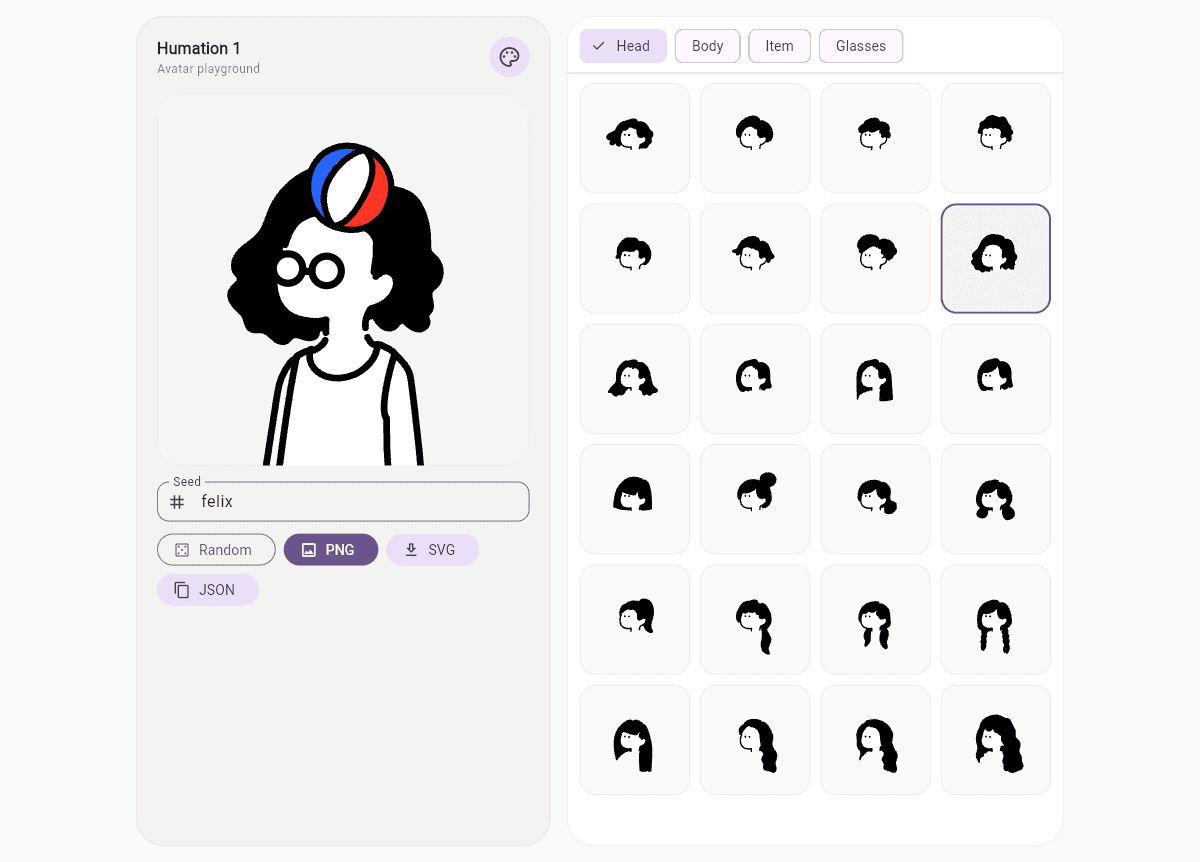
The full builder lives in
playground/.